
Bring the project together
Start with the electrical drawings and the documents that explain the job, including luminaire schedules and technical specifications.

Spend less time counting symbols and measuring cable runs. Turn electrical drawings and project documents into quantities you can review and use from the first estimate to the work on site.
See where the quantities come from. Check the takeoff against the drawing, review the markings and make adjustments before using the results in your estimate.
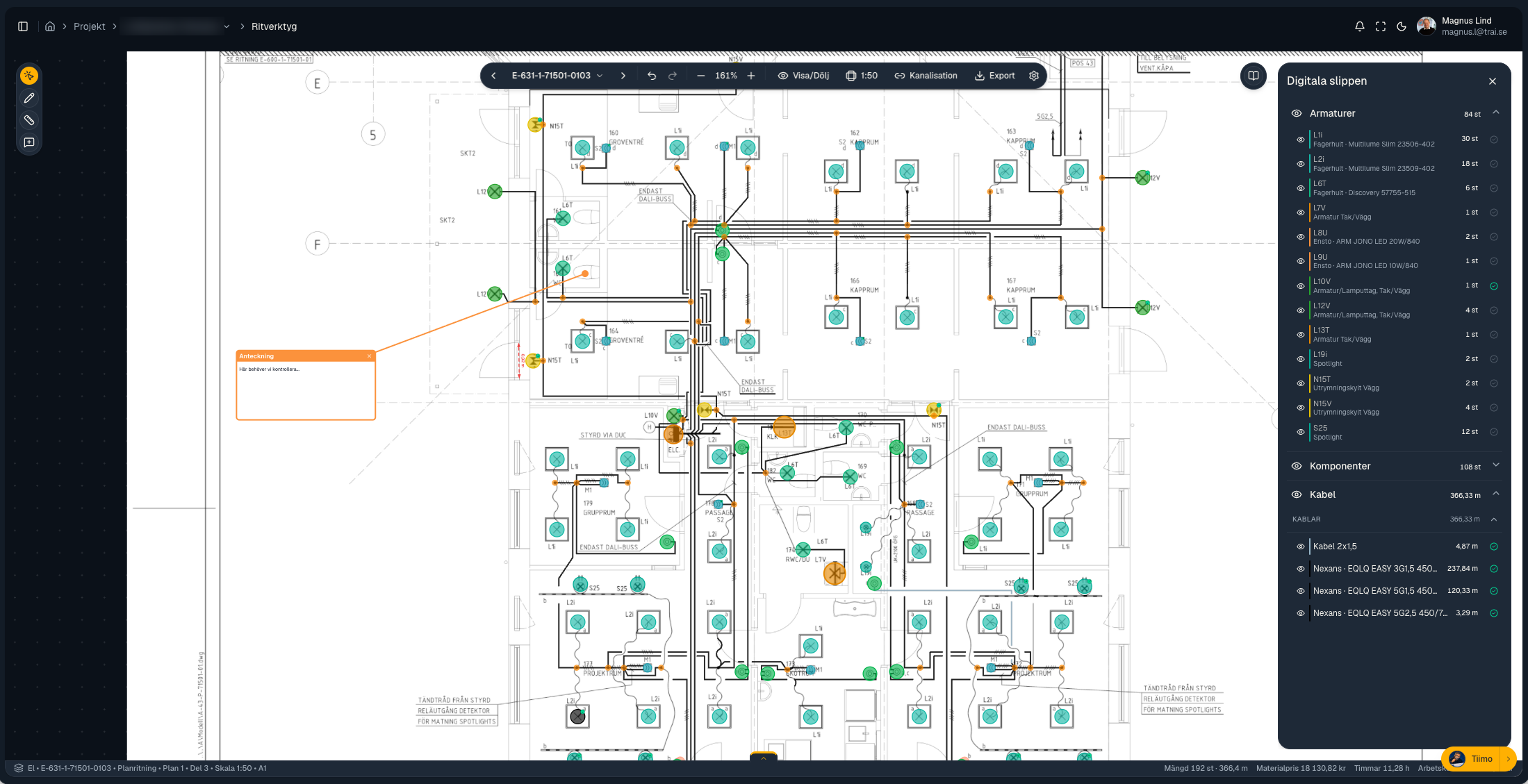
Start with the electrical drawings and the documents that explain the job, including luminaire schedules and technical specifications.
Use the analysis as a starting point. Check the result against your drawings and apply your own knowledge of the project.
Use the quantities you have checked to prepare your estimate and plan the materials and installation work.

When drawings are available, Stiimo helps you get started with the quantities. Spend more time checking the scope and preparing your estimate.
Once detailed construction drawings are available, use the quantities to build a budget for the work ahead. Compare them with your original estimate and plan what needs to be ordered and installed.
Meet Fredrik or Mirza for a walkthrough of Stiimo. See how drawing review and digital quantities could fit the way you estimate and plan your electrical projects.
Book a demoEmail Fredrik ↗Emailing us? Include your country and preferred meeting language.
Hear how Stiimo started and why we want to free up time from manual takeoffs.
Meet Fredrik or Mirza on Google Meet.
Loading available times…